
Searching for notes
To search for notes or for text inside notes you can use the shortcut Ctrl + ⇧ Shift + F (or ⌘ Cmd + ⇧ Shift + F on macOS) to jump to the Note search panel.
There are different ways to search for notes:
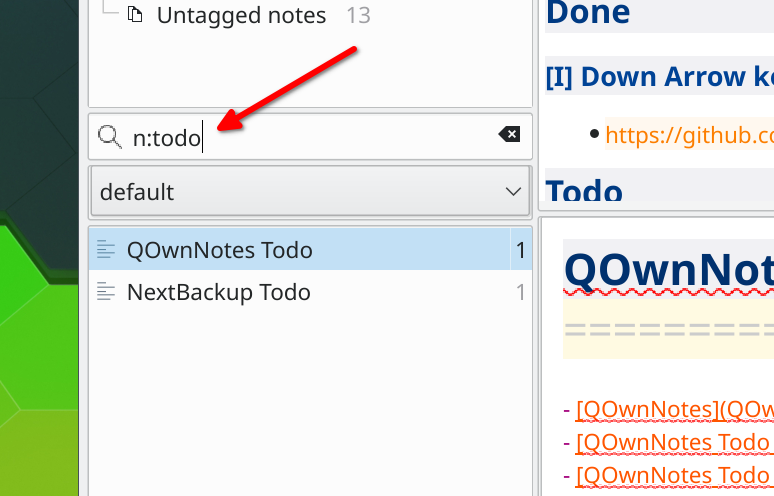
note bookwill search for notes containing bothnoteandbookin the file name or note text"note book"will search for notes with exactly the textnote bookin the file name or note textn:bookorname:bookwill search for notes withbookjust in the note name or file namen:"note book"orname:"note book"will search for notes with exactlynote bookjust in the note name or file namew:noteorword:notewill search fornoteas a whole word, excluding partial matches likenotebook- Search operators can be combined, for example
n:w:notesearches for the whole wordnoteonly in the note name or file name
Tips
Searching starts after typing at least two characters.
Ignoring accents
If you turn on Ignore accents in search in the Panels settings, searches without accented letters will also find text with accented letters. For example, avion will also find Avión, and strasse will also find Straße.
- Searches that contain accented letters still only find exact matches, so
schönwill not findschon - Only Latin letters are affected, characters of other scripts are always matched exactly
- The setting is used for the note search, the highlighting of the found text in the note editor and preview, and for the filters of the tag, note subfolder and navigation panels