
QOwnNotes for Android now works with local note folders
Starting with version 26.11.0, QOwnNotes for Android no longer needs a Nextcloud server. Point the app at a folder on your phone, and its Markdown files become your notes. This was one of the most requested features (#47).
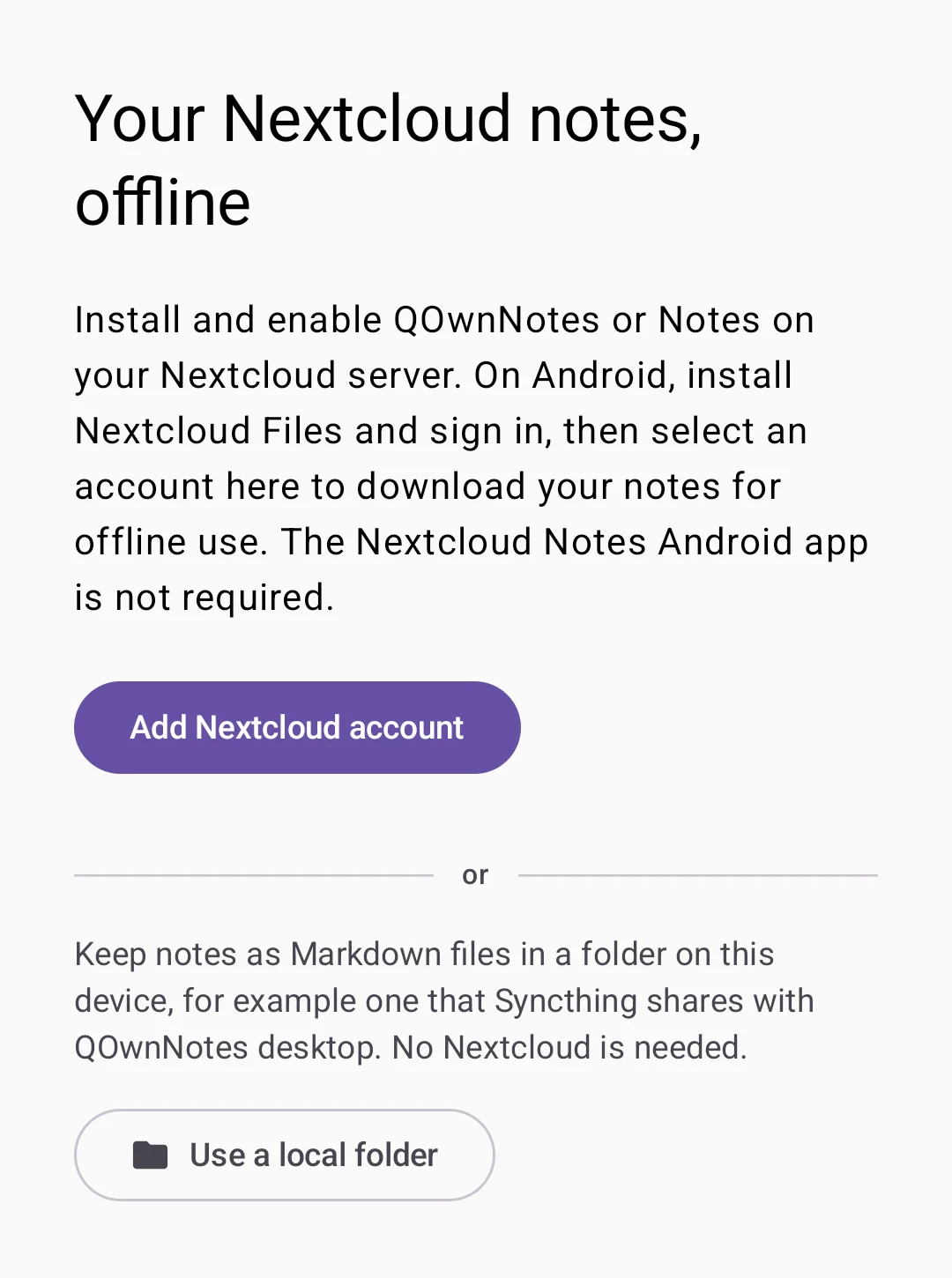
Choose your way on the first screen. Add a Nextcloud account as before, or tap Use a local folder and pick a folder in Android's folder picker.
The app only gets access to that one folder. It needs no storage permission and no network connection.
Your desktop note folder, on your phone
The folder is read just like a QOwnNotes desktop note folder:
- Markdown and text files are notes, and subfolders are note subfolders
- Images and attachments in
mediaandattachmentsare shown and added - Tags from the folder's
notes.sqlitework like on the desktop
Keep the folder in sync with your computer using Syncthing or any other file synchronizer.
Safe with changes from elsewhere
Your edits are saved instantly and written to the files without a network connection. Changes made by other programs appear when you refresh. If a file changed while you were editing it, QOwnNotes keeps both versions and lets you choose, instead of overwriting anything.
Deleted notes go to the app's own trash, where you can restore them.
See the local folder setup for all the details.
Nextcloud stays first-class
Nothing changes for Nextcloud users. You can even use a Nextcloud account and local folders side by side and switch between them from the account menu.
Get QOwnNotes for Android from F-Droid or the GitHub releases.