
Harper
QOwnNotes can use Harper for optional offline grammar and style checking in the note editor.
It complements the existing spellchecking support instead of replacing it.
Features
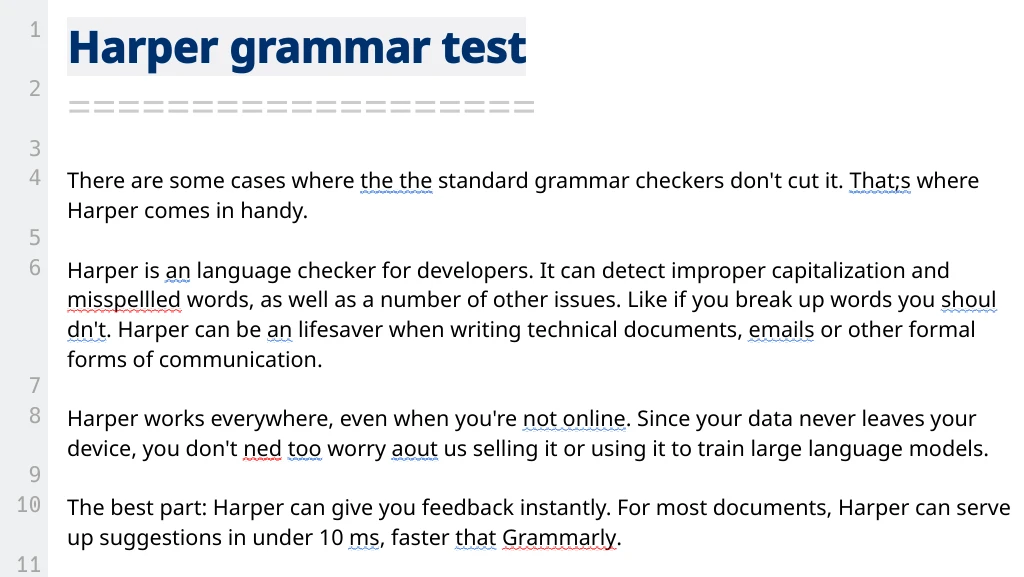
- Colored underlines for detected grammar, style, punctuation, and wording issues
- Context-menu suggestions for replacements
Ignore this ruleandIgnore wordactions in the context menu- A quick toggle in the Edit menu with
Check grammar with Harper - Local checking with the
harper-lslanguage server overStdioorTCP
Setup
Open Settings and select Editor -> Harper.
- Turn on
Enable offline grammar and style checking with Harper - Choose the
TransportStdio (recommended)starts a localharper-lsprocess directlyTCPconnects to an already runningharper-lsserver
- For
Stdio, set theCommand / binary path- The default command is
harper-ls Auto-detectsearches for it in yourPATH
- The default command is
- For
TCP, set theServer addressandPort- The defaults are
127.0.0.1and4000
- The defaults are
- Choose the
DialectAmericanBritishAustralianCanadianIndian
- Adjust the
Check delayto control how long QOwnNotes waits after typing before sending a request - Select which linters should be enabled
Spell CheckSentence CapitalizationRepeated WordsLong SentencesAn vs AUnclosed QuotesCorrect Number SuffixSpacesQuote SpacingNo French SpacesWrong ApostropheSpelled Numbers
Use Test Connection to verify that QOwnNotes can either start harper-ls in Stdio mode or reach the configured server in TCP mode.
How It Works
- QOwnNotes checks visible editor blocks instead of the whole document at once
- Empty lines, headings, and code blocks are skipped
- Requests are debounced so Harper is not queried on every keystroke
- Results are shown inline in the Markdown editor
- Harper and LanguageTool can be enabled at the same time
Notes
- Harper support is optional and depends on the feature being enabled in your build
Stdiomode is the simplest setup for local offline checking- If Harper cannot be reached, QOwnNotes shows a warning and stops checking until it is available again